
Download VoiceClone AI – AI voice cloning, multilingual dubbing, free download
Overview & Core Features of VoiceClone AI
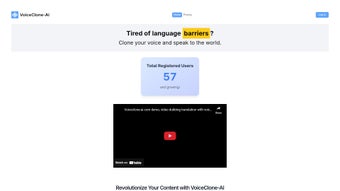
VoiceClone AI is a cutting‑edge, web‑based AI voice generator that lets you clone any human voice and instantly dub audio into dozens of languages. Built for content creators, marketers, educators, and podcasters, the platform preserves the original emotion, intonation, and personality of the source speaker while delivering crystal‑clear, natural‑sounding translations. The intuitive dashboard requires only a few clicks: upload your original audio or text, choose the target language, and let the AI do the heavy lifting.
Unlike many free tools, VoiceClone AI produces professional‑grade outputs with zero watermarks or hidden branding, making the final product ready for commercial use right out of the browser. Regular algorithm updates keep the voice models at the forefront of neural speech synthesis, ensuring that each new release improves realism, reduces latency, and expands language coverage. Whether you’re localising a YouTube tutorial, dubbing an e‑learning module, or creating a multilingual podcast series, VoiceClone AI streamlines the workflow, cuts production costs, and opens your content to a global audience.
Key Feature List
- High‑fidelity voice cloning that captures nuance, breath, and emotion.
- Automatic multilingual dubbing in over 30 languages and dialects.
- Web‑based interface – no software installation required; works on any modern browser.
- Zero watermark and no hidden branding on exported files.
- Batch processing for bulk audio projects, saving hours of manual work.
- Secure cloud storage with end‑to‑end encryption for uploaded media.
- Custom voice library – save and reuse cloned voices for future projects.
- Real‑time preview and fine‑tuning tools (speed, pitch, emphasis).
- API access for developers who want to integrate voice cloning into their own apps.
- Regular updates that add new languages, improve synthesis speed, and refine voice quality.
Step‑by‑Step Installation, Setup & Usage Guide
Because VoiceClone AI is entirely cloud‑based, there is no traditional “download and install” process. All you need is a stable internet connection and a compatible web browser (Chrome, Firefox, Edge, or Safari). Below is a comprehensive walkthrough that covers account creation, project setup, and the final export of your cloned audio.
1. Create Your Account
Visit voiceclone.ai and click the “Sign Up” button. You can register using an email address or through Google/Apple single sign‑on. After confirming your email, you’ll land on the dashboard where you can view your usage quota, recent projects, and billing information (the platform offers a free tier with limited minutes and premium plans for higher volume).
2. Upload Source Material
Click “New Project,” then drag‑and‑drop your original audio file (MP3, WAV, or FLAC) or paste the transcript text. VoiceClone AI automatically detects the source language and suggests the best‑matching voice model. If you need a custom voice, you can upload a short sample (30‑60 seconds) and let the system generate a unique voice fingerprint within minutes.
3. Choose Target Language & Voice Settings
From the language dropdown, select the desired output language. The platform presents a list of native‑speaking voice options, each with a preview button. Use the slider controls to adjust speech rate, pitch, and emotional tone (e.g., friendly, authoritative, enthusiastic). The real‑time preview helps you fine‑tune the output before committing to the full render.
4. Render & Review
Press “Generate” and the AI begins processing. For short clips (<2 minutes) the conversion typically finishes in under a minute; longer files may take a few minutes. Once complete, you can stream the result directly in the browser, download it as an MP3 or WAV, or share a secure link with collaborators. The platform also provides a waveform editor for trimming silence or adding background music.
5. Export & Integration
Exported files are ready for immediate use—no further editing required. If you have a premium subscription, you can also access the RESTful API to automate batch dubbing from your own content management system. Documentation for the API is located under the “Developers” tab and includes code samples in Python, JavaScript, and cURL.
Overall, the workflow is designed to be as frictionless as possible. By handling voice synthesis, language translation, and file management in a single cloud environment, VoiceClone AI eliminates the need for separate TTS engines, translation services, or audio editing software.
Compatibility, Pros & Cons, and Frequently Asked Questions
Operating System Compatibility
VoiceClone AI runs entirely in the browser, which means it is compatible with Windows 10/11, macOS Catalina and later, Linux distributions with a modern browser, as well as mobile operating systems such as Android 8+ and iOS 13+. The responsive design ensures that you can edit and render projects on a desktop, laptop, tablet, or smartphone without losing functionality.
Pros
- Web‑based – no installation, works on any device with a browser.
- High‑quality voice cloning that retains emotional nuance.
- Supports more than 30 languages, expanding global reach.
- Zero watermark and commercial‑ready output.
- Batch processing and API access for automation.
- Secure cloud storage with encryption.
- Regular updates keep the technology state‑of‑the‑art.
Cons
- Reliant on a stable internet connection; offline use is not possible.
- Free tier limits the number of minutes per month.
- Advanced voice fine‑tuning may require a learning curve for beginners.
- Large file uploads can take longer on slower connections.
Frequently Asked Questions
Is VoiceClone AI really free to use?
VoiceClone AI offers a free tier that includes up to 30 minutes of voice cloning per month. For larger projects, premium plans start at $19.99 per month and provide additional minutes, priority processing, and API access.
Can I clone a celebrity’s voice?
The platform respects copyright and ethical guidelines. VoiceClone AI requires that you own the rights to the source audio or have explicit permission to use it. Cloning copyrighted or protected voices without consent is prohibited.
How secure is my uploaded audio?
All uploads are encrypted in transit using TLS 1.3 and stored at rest with AES‑256 encryption. VoiceClone AI adheres to GDPR and CCPA standards, and files are automatically deleted after 30 days unless you choose to keep them in your personal library.
What audio formats does VoiceClone AI support for export?
Exports are available in MP3 (128‑320 kbps), WAV (16‑bit PCM), and FLAC lossless formats. You can select the desired format in the final export dialog.
Is there an API for developers?
Yes. Premium subscribers gain access to a RESTful API that supports programmatic voice cloning, language selection, and batch processing. Detailed documentation, authentication keys, and code examples are provided in the “Developers” section of the dashboard.
Final Verdict – Should You Download VoiceClone AI?
VoiceClone AI stands out in a crowded market of text‑to‑speech and dubbing tools by delivering a truly multilingual, watermark‑free experience that feels polished enough for commercial distribution. Its browser‑only architecture removes the friction of installation, while the powerful voice‑cloning engine captures the subtle cues that make speech sound genuinely human. For creators who need to reach audiences across borders, the ability to generate high‑quality dubbed audio in a single click is a game‑changer.
The platform’s limitations—namely the dependence on an internet connection and the modest free tier—are outweighed by the value added through batch processing, API integration, and strict data security. If you regularly produce videos, podcasts, or e‑learning modules, the time saved on translation and voice talent can translate directly into cost savings and faster time‑to‑market.
Ready to give your content a global voice? Create a free account today and start cloning. For power users, upgrade to a premium plan to unlock unlimited minutes, priority rendering, and full API access. VoiceClone AI makes multilingual publishing accessible, secure, and professionally polished—download the tool (via the web) now and let your audience hear you in every language.
Overall Rating: 4.7 / 5
Pros: High‑quality cloning, multilingual support, no watermarks, cloud‑based convenience.
Cons: Requires internet, free tier limited.



.png)



